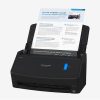
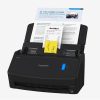


iX1400
iX1400 one-touch scanning.
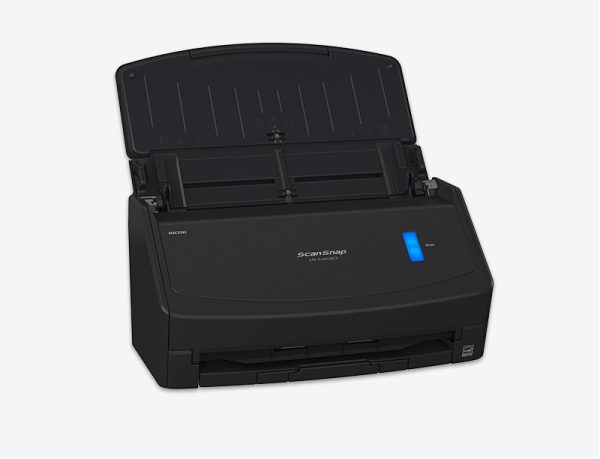
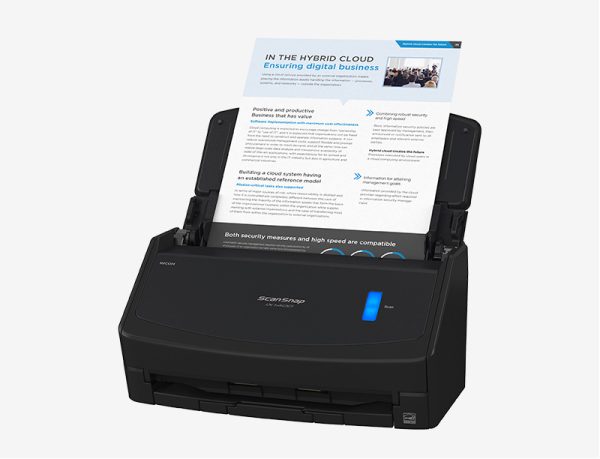
The ScanSnap iX1400 provides a hassle-free experience with one-touch scanning and fast, reliable performance day after day.
View Document and Downloads
View Accessories & Consumables
Scanner Information
iX1400 one-touch scanning.
ScanSnap iX1400 is equipped with simplicity and does not compromise on speed and image quality. Users are able to experience scanning with the push of one-button. It is a simple and secure model that comes with USB connectivity that allows customers to scan in environments where use of Wi-Fi is limited.
Easy, One-Button Scanning
Scans with just the push of a button, using intelligent image processing to deliver great results.
Great for Individuals That Want to Get Organized
Reduce paper clutter and find information quickly, wherever and whenever you need it.
Simplifies Everyday Scanning
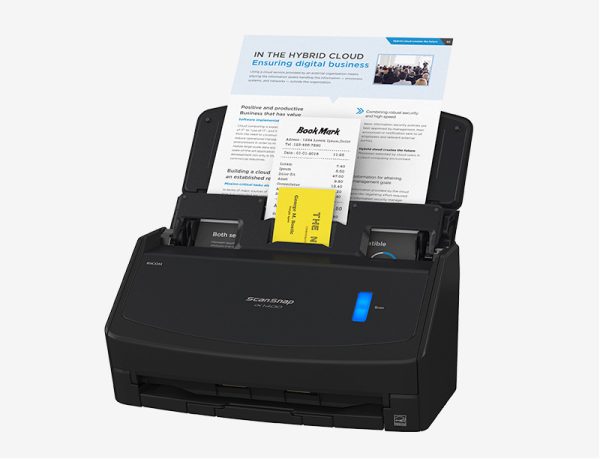
Ultrasonic sensor and advanced paper-separation technology provide superior reliability for scanning various paper types, sizes and thicknesses.
Receipt Scanning
Quickly scan and recognize receipts, manage them in ScanSnap Home or export them to your favorite application.

| Product Name | Specification | Description |
|---|---|---|
| Scanner Type | ADF (Automatic Document Feeder), Duplex | |
| Scanning Speed*2 (A4 portrait) | ||
| Auto mode*3 | Simplex / Duplex: 40 ppm | |
| Normal mode | Simplex / Duplex: 40 ppm (Color / Grayscale: 150 dpi, Monochrome: 300 dpi) | |
| Better mode | Simplex / Duplex: 40 ppm (Color / Grayscale: 200 dpi, Monochrome: 400 dpi) | |
| Best mode | Simplex / Duplex: 40 ppm (Color / Grayscale: 300 dpi, Monochrome: 600 dpi) | |
| Excellent mode*4 | Simplex / Duplex: 10 ppm (Color / Grayscale: 600 dpi, Monochrome: 1,200 dpi) | |
| Scanning Color Mode | Color, Grayscale, Monochrome, Automatic (Color / Grayscale / Monochrome*4 detection) | |
| Image Sensor Type | CIS x 2 (Front x 1, Back x 1) | |
| Light Source | 3 color LED (Red / Green / Blue) | |
| Optical Resolution | 600 dpi | |
| Document Size | ||
| Normal Scan*5 | Minimum 50.8 x 50.8 mm (2 x 2 in.) Maximum 216 x 360 mm (8.5 x 14.17 in.) |
|
| Long Page Scanning*6 | 3,000 mm (863 mm in 32-bit)*7 | |
| Paper Weight (Thickness) | 40 to 209 g/m2 (11 to 56 lb) A8 or less: 128 to 209 g/m2 (34 to 56 lb) Cards: 0.76 mm or less (Compliant with the ISO7810 ID-1 type) (Includes embossed cards in landscape orientation) |
|
| ADF Capacity*8 | 50 sheets (A4 80 g/m² or Letter 20 lb) | |
| Multifeed Detection | Overlap detection (Ultrasonic sensor), Length detection | |
| Interface | USB | USB 3.2 Gen1 / USB 3.1 / USB 3.0 / USB 2.0 / USB 1.1 (Connector Type: Type-B)*9 |
| Power Requirements | AC 100 to 240 V, 50/60 Hz | |
| Power Consumption | ||
| Operating Mode | 17 W or less | |
| Sleep Mode | 1.5 W or less | |
| Operating Environment | ||
| Temperature | 5 to 35 °C (41 to 95 °F) | |
| Relative Humidity | 20 to 80% (Non-condensing) | |
| Environmental Compliance | ENERGY STAR, RoHS | |
| Dimensions*13 (W x D x H) | 292 x 161 x 152 mm (11.5 x 6.3 x 6.0 in.) | |
| Weight | 3.4 kg (7.5 lb) | |
| Driver | ScanSnap specific driver Windows: Does not support TWAIN / ISIS™ macOS: Does not support TWAIN |
|
| Software*11 | ScanSnap Home (for PC) (All-in-one document management software/driver) ABBYY FineReader for ScanSnap™ |
|
| Included Items | Safety Precautions, AC cable, AC adapter, USB cable, Receipt Guide |
| No | Description |
|---|---|
| 1 | Available colors vary depending on region. |
| 2 | Scanning speeds may vary due to the system environment. The values shown are the results of the evaluation under the following environment • Windows 10 / CPU: Intel Core™ i3-10105 3.7GHz / Memory: 8GB / Storage: SSD • macOS Monterey 12 / CPU: 3.0GHz 6 core Intel Core™ i5 (8th Generation) / Memory: 8GB / Storage: SSD / used Mac Mini (2018) |
| 3 | Scans will be made in "Best mode" if shorter sides are less than 105 mm and in "Better mode" if not. |
| 4 | Available only when connecting to a computer. |
| 5 | A3 scans are possible with use of A3 carrier sheets. |
| 6 | Available in all modes except for "Excellent mode". |
| 7 | Indicated specifications apply when using ScanSnap Home. |
| 8 | Maximum capacity varies, depending upon paper weight. |
| 9 | Some computers do not recognize the ScanSnap when it is connected to a USB 3.2 Gen1, USB 3.1 or USB 3.0 port. In this case, please use a USB 2.0 cable. |
| 10 | Excluding the stacker and other external attachments. |
| 11 | Installation and updates require Internet availability. Software/driver updates to the latest versions are recommended. |
System Requirements for PC
| Compatible Operating Systems*1 | Windows 11 / 10 (32-bit / 64-bit) | |
|---|---|---|
| Driver / Applications*2 | ||
| ScanSnap Home*4 | Supported | |
| ABBYY FineReader for ScanSnap™ | Supported | |
| Hardware Requirements*3 | ||
| CPU*5 | Intel or Intel-compatible processors | |
| Display Resolution | 1,024 × 768 pixels or more | |
| Disk Capacity*6*7 | 3.8 GB or more of free disk space |
| No | Description |
|---|---|
| 1 | Operate Windows in desktop mode. ScanSnap scanners do not run with Windows 11 and 10 ARM-based PCs such as Surface Pro X (Microsoft). |
| 2 | Operating systems listed in this table are the only ones supported. |
| 3 | The ScanSnap device may not work if the connected computer does not meet these requirements. |
| 4 | ScanSnap Home Installation requires a computer and Internet. |
| 5 | Scanning speeds may vary due to the system environment. |
| 6 | Indicated disk capacity requirements apply when downloading ScanSnap Home. |
| 7 | .NET Framework 4.8 or later must be installed. If it is not installed, it is installed with ScanSnap Home. Up to 4.5 GB of disk space is required for the installation. |
*The system requirements may change depending on the support policies of the above system and third-party software.
System Requirements for Mac
| Compatible Operating Systems | macOS Catalina 10.15 or later | |
|---|---|---|
| Driver / Applications*1 | ||
| ScanSnap Home*3 | Supported | |
| ABBYY FineReader for ScanSnap™ | Supported | |
| Hardware Requirements*2 | ||
| CPU**4*5 | Intel processor or Apple silicon | |
| Display Resolution | 1,024 × 768 pixels or more | |
| Disk Capacity | 2.5 GB or more of free disk space |
| No | Description |
|---|---|
| 1 | Operating systems listed in this table are the only ones supported. |
| 2 | The ScanSnap device may not work if the connected computer does not meet these requirements. |
| 3 | ScanSnap Home Installation requires a computer and Internet. |
| 4 | The ScanSnap device also operates with Apple Silicon-based Mac computers. |
| 5 | Scanning speeds may vary due to the system environment. |
*The system requirements may change depending on the support policies of the above system and third-party software.
| Part | Part Number | Description |
|---|---|---|
| Consumables | ||
| Roller Set*1 | PA03656-0001 | Lifetime: Every 200,000 sheets or one year (For ScanSnap iX1600, iX1400 or iX1500) |
| Cleaner F1 | PA03950-0352 | 100 ml bottle For use on the Brake roller and Pick roller |
| Cleaning Wipes | PA03950-0419 | 24 packets For use on the Brake roller and Pick roller |
| Cleaning Papers | CA99501-0012 | 10 sheets Use this non-woven sheet with Cleaner F1 |
| Options | ||
| Carrier Sheets*2 | PA03360-0013 | Contains 5 carrier supporting photographs and various document sizes (For ScanSnap iX1300, iX1600, iX1400, iX100) |
| Photo Carrier Sheets | PA03770-0015 | Contains 3 sheets supporting photographs (E-size, L-size, King-size), postcards and business cards |
| ScanSnap Bag | PA03951-0651 | Stores the ScanSnap iX1600, iX1400, iX1500 and accessories |
| No. | Details |
|---|---|
| 1 | These recommended lifetimes are for 80 g/m² (20 lb) A4 sized documents. Therefore, appropriate replacement lifetimes may vary for other document types. |
| 2 | Although ScanSnap Carrier Sheets have a listed lifespan of 500 scans, the lifespan may vary with usage. ScanSnap Carrier sheets are intended to scan paper documents with weights of 209 g/m2 or less. They also support the scanning of folded documents that are as large as 216 x 297 mm. |
*It is recommended to use original or approved accessories for consumables, options and cleaning kits, specially designed for your device. Device failures, troubles and damages arising from use of OEM or 3rd Party accessories may render your warranty invalid and incur charges for repair even during the warranty period.